
2025 AI Wrapped: What I've Shipped with AI
Table of Contents
This is Part 3 of 5 of my 2025 AI Wrapped series. This post covers what I’ve shipped with 100% AI-generated code. When I first started reflecting on building with AI, this was the first draft. Writing it became the genesis for all the other posts in this series.
I shipped 20+ features and tools in 2025; before AI, this would have been 1-3 max. Not only did AI generate 100 percent of the code, it helped me distill documentation and ideas into action, and fit iterations into 10-20-minute blocks of time instead of hours.
The examples below include simple changes to existing systems, greenfield tools, product prototypes, and bug fixes. Each example took iteration, testing, validation, and refactoring to ship, mirroring how software gets built today, just with less time spent writing every line of code.
A pattern emerged with each example: AI feels lightning-fast for the first day or two, then slowly degrades into the traditional trappings of building software: edge cases, integration complexity, and acceptance testing. AI compresses development time, not delivery time.
Agent Slash Commands and Reusable Prompts
I was first exposed to this idea by the agents themselves. On startup Codex/Claude Code will suggest common slash commands available within the current working directory.

I’ve found it most effective to use a centralized “prompt library” to share common prompts across all AI tools. This collection of markdown files is in my path at ~/code/prompt-library/<command>.md and is available to any project I work with.
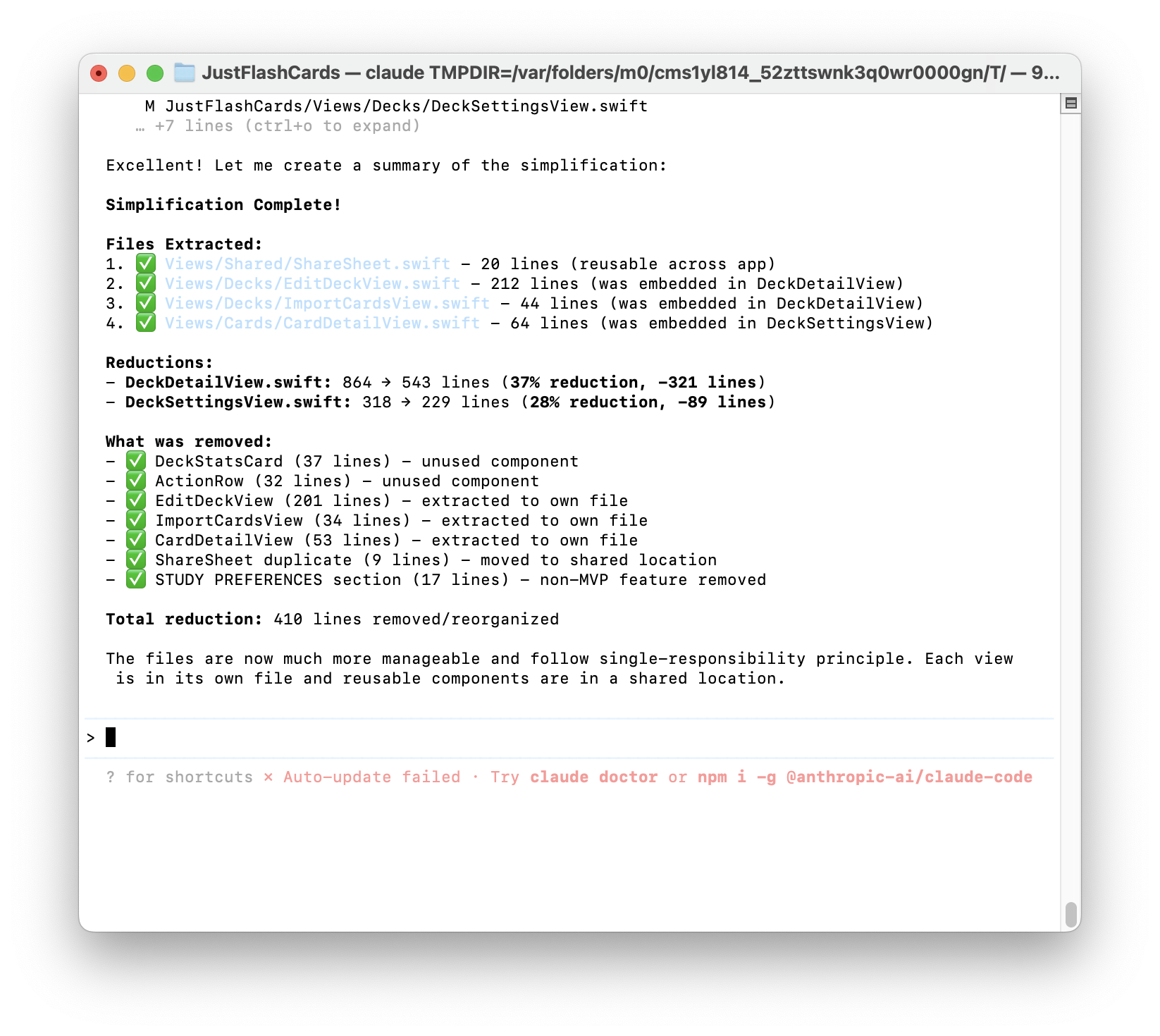
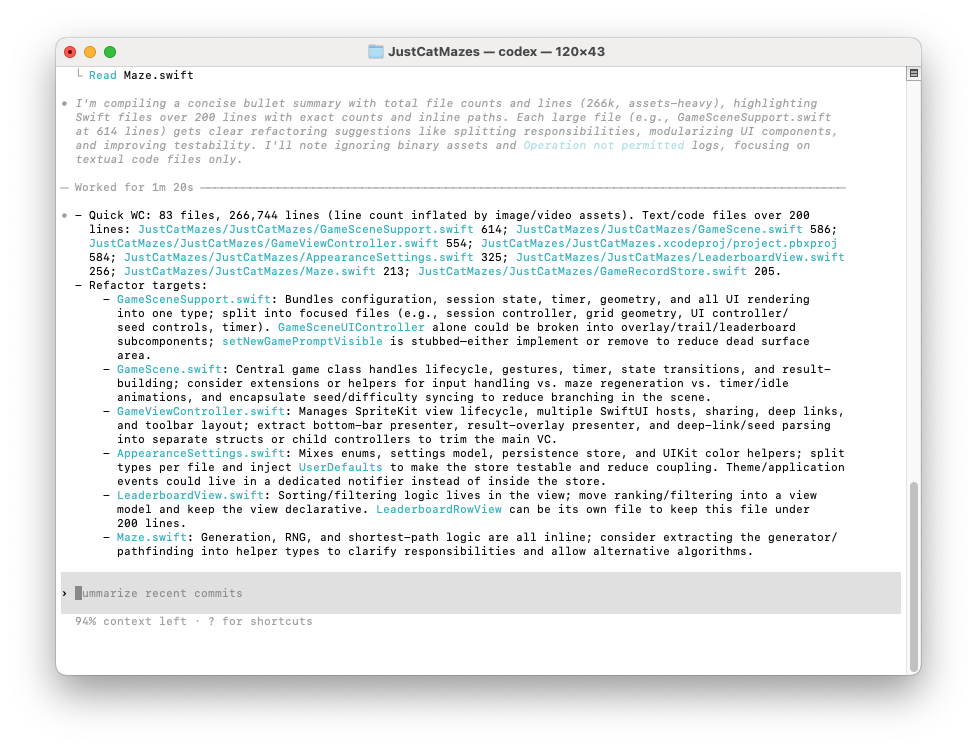
Command: /refactor Refactoring AI Bloat and Making Human-Readable Files
I use this reusable prompt the most because AI frequently creates thousand-line files that are completely indecipherable to the human eye. Or it will duplicate entire functions across files and violate many software best practices like DRY.
Slash command /refactor fixes these anti-patterns. I have been impressed that AI can refactor large blocks of code without breaking anything, but I wish it didn’t write crap in the first place. Since the cost of refactoring approaches zero (just the tokens/time), I don’t worry so much about AI-generated code until either it’s time to submit it for review or the effectiveness of working with the files goes down.
Here’s some examples:
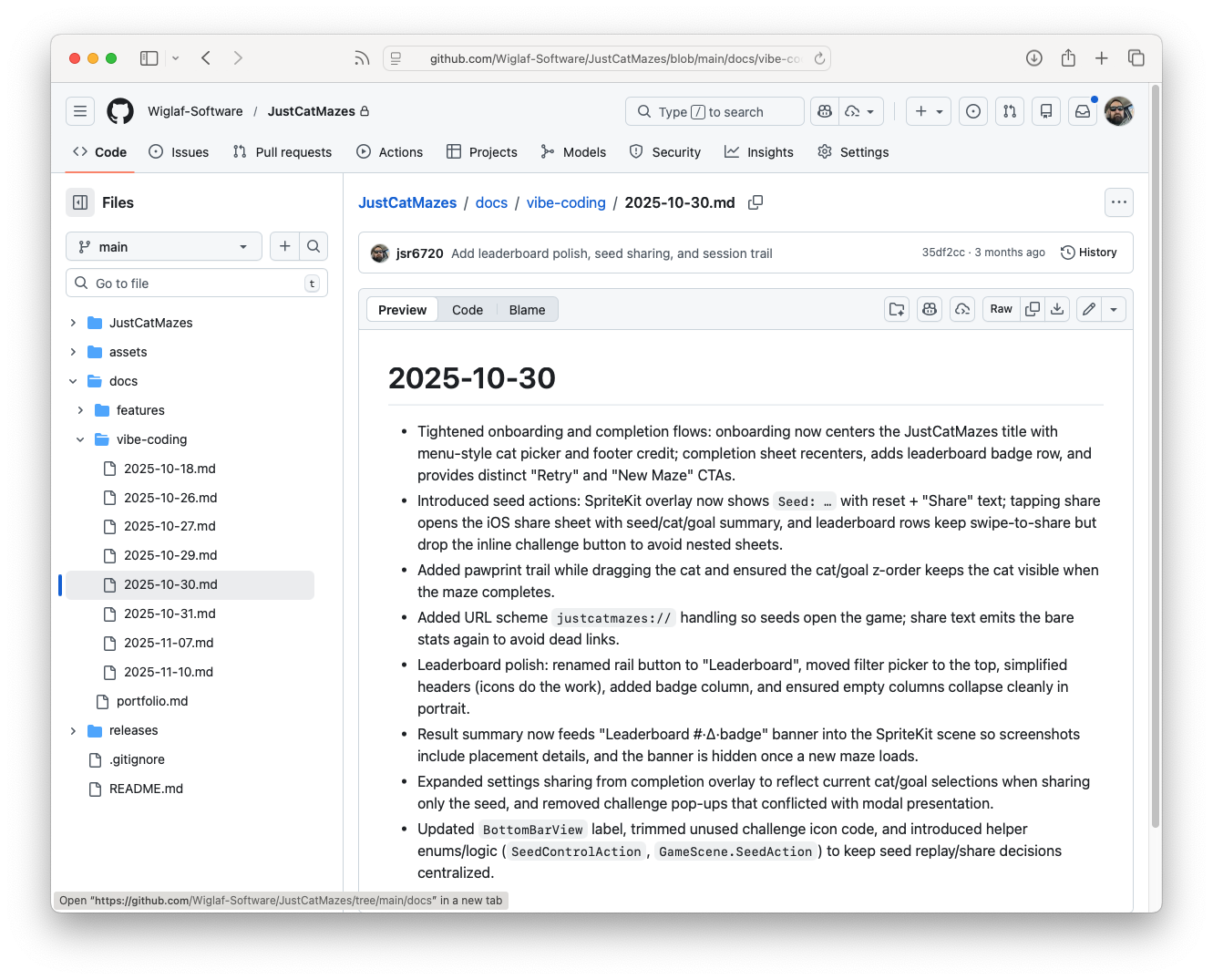
Command: /document Creates a Markdown File of the Day’s Activities
To capture my work for the day, I run /document, which builds a natural-language change log summary, documents any architectural decisions I’ve made, and will include relevant prompts as quotes. I can use this output as reference—or, more frequently, when I come back to the project, I can effectively pick up where I left off.
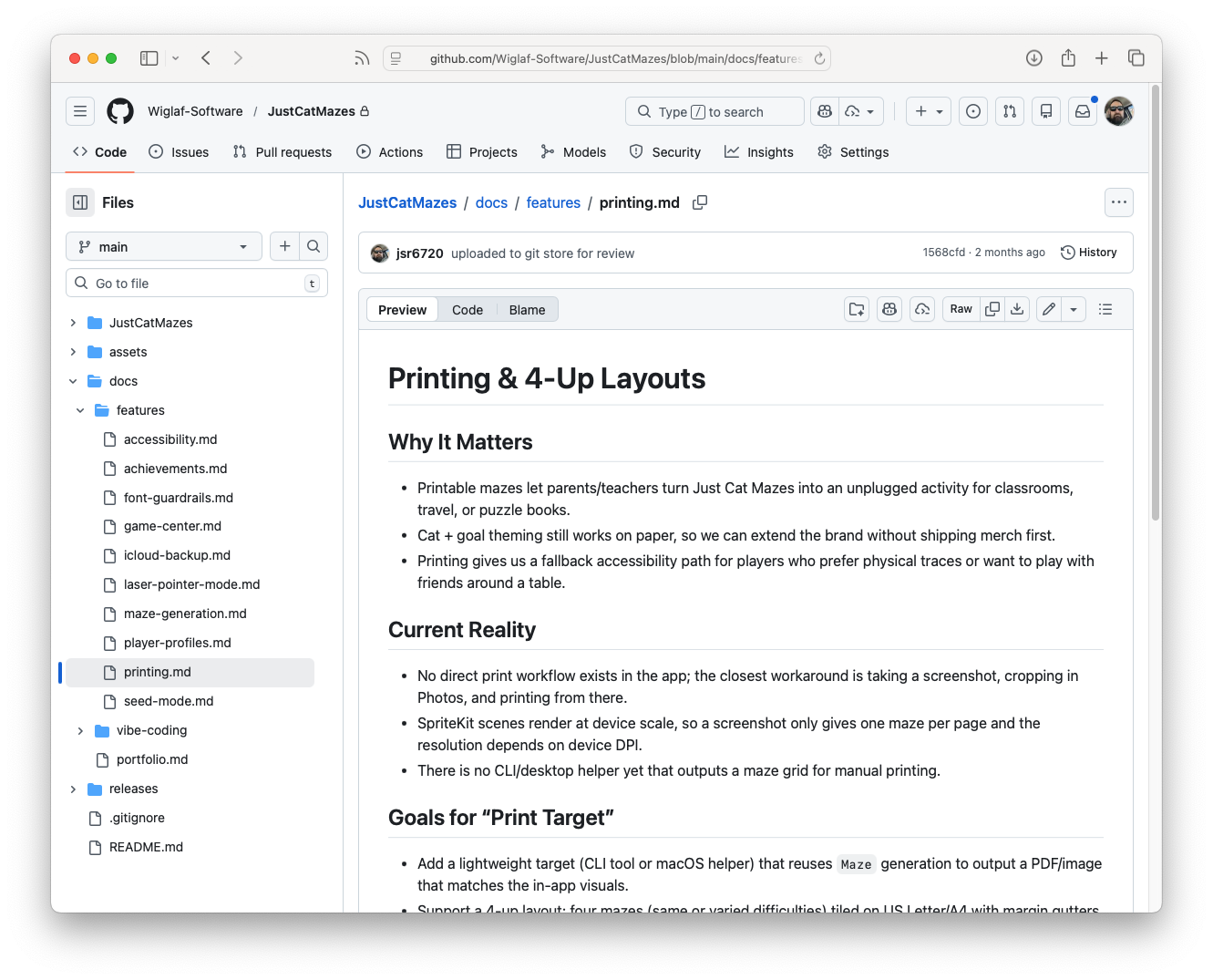
Command: /feature Summarizes Discussion into a .md
One of the most seductive (and, frankly, distracting) things about working with AI is the ability to immediately gratify the impulse to add scope to a solution. I’ve frequently thought, “One more prompt and I’ll have something even better!”
The /feature command allows me to bring discipline and focus to my work. It will take the chain of thought from the discussion and persist it to a <feature>.md file for future reference. In my mind, this is an alias for the favorite expression of software teams: “We’ll add it to the backlog.”
Command: /onboard AI-Guided Onboarding and Computer Setup
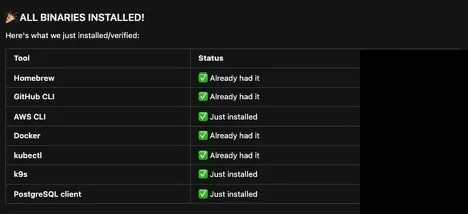
/onboard was the first slash command I made that was used by other engineers. The command onboards any workstation with the binaries needed to start feature development. There are no scripts, only a top-level README.md with prompts to install each tool in the /tools directory. So git, aws, docker, et cetera are in dedicated prompt-based markdown files with guidance on what the success criteria are.
In the past, it might take 1-2 days to get a personal machine set up for work, with a combination of a rigid IT script, stale wiki pages, equipment drift, and at least a few hours of reading docs everywhere. Now, engineers can clone the onboarding repo and run /onboard with any AI. This cuts machine setup from 1-2 days to less than an hour. Some engineers have used Claude Code where others used Cursor! Very positive feedback on this.
Professional Projects
With respect to my employer, I’m only highlighting some generic concepts that I’ve completed. I took on these tasks both to evaluate AI effectiveness and to remove friction from my teams.
The biggest result of using AI is that I can navigate projects in a way that would’ve required engineering-led deep dives in the past. I still talk with engineers to deepen my understanding, but I’m no longer dependent on them to orient myself in the code.
One thing important to me as an engineering manager is leading with credibility by understanding how my team executes. Even with AI, I am never picking up a critical path of work or pretending I can do something better than the engineers on the project. That would be absurd.
Migrating Builds to New Standardized Build Platform
Like a lot of migration projects, we had a long tail of builds that needed to be migrated to GitHub actions. With AI, I was able to migrate 2-3 smaller projects; this not only built momentum, it exposed me to new domain areas and was an opportunity to pitch in without slowing down the team.
In the past, I wouldn’t have picked up this work because I would be a brain drain on engineering. But with AI, I was able to get the projects set up and migrated, learning along the way by using AI to understand the code base. My work still required engineering review and testing before merging.
Bringing Internal a GitHub Action
I had read in a few Reddit posts that “AI can clone anything.” So I decided to test this hypothesis by “cloning” rtCamp/action-slack-notify internally. We were using a variety of mechanisms to connect GitHub Actions to our Slack instance, and I saw an opportunity to test AI’s ability to clone a library.
The takeaway here is that it’s just not worth it, nor was “cloning” easy. While I was able to engineer a solution that has moved us away from webhooks and toward using Slack Apps, there was a lot more to this work than “Hey, clone this project.” I can attest that engineers should still reach for things “off the shelf” rather than rebuild them even if AI gets to the point of “instant” clone. I have a deeper dive planned for a future post: “The AI Clone Fallacy”.
Temporary Project Status Dashboard
I think one of the best uses of AI-generated code is creating throwaway solutions. For one critical project, we had dozens of engineers and PRs rapidly converging toward one due date.
Rather than try and track all of this through Jira and GitHub, I spun up a disposable dashboard that tracked open issues and surfaced the ones that needed review to make sure none were missed prior to launch.
Feature Flag Override Detection
I built a simple scheduled GitHub action that scans specific configurations and looks for ones that are past-dated, indicating they can be removed. Before AI, this type of work would never take priority over feature development. I knocked this script out between meetings during a regular workweek.
Inspecting Systems and Debugging Stack Traces
I use AI nearly every day to navigate code bases and how they fit into the larger picture. Sometimes it’s as simple as “what does this project do” or “where do these queues come from.”
For debugging, same approach: One particularly memorable example was combining a thousand-line XML file, a thirty-page vendor doc, the code repository, and a bug alert. AI quickly identified where the problem was occurring, down to the specific XML data node, but was completely wrong about how to fix it. While AI made the right connections, I still needed engineers to make the decision of what to do about it.
Personal Projects
Software is my profession. But a shipped project is more than just good software. It’s design, product market fit, and all of the other heuristics that go into successful delivery. For solo projects, AI really adds polish I never had capacity for before and maximizes my very limited evening hours.
Duly Noted: A Microblog of Encountered Ideas
Where I’ve seen AI help me the most is in cutting the setup cost on my personal projects to hours from days. Something like https://noted.jsrowe.com/about is a fun project that combines AWS API Lambda functions, and Python scripts.
The research and development needed to set this up had eluded me in the past. But with AI stringing together AWS docs, a few Python scripts, and an idea, I can bootstrap a solution that works for me. I estimate that what would’ve been an all-weekend project (i.e., not doable) was instead fit into a few hours before bedtime over the course of a week.
Just Cat Mazes: An iOS App
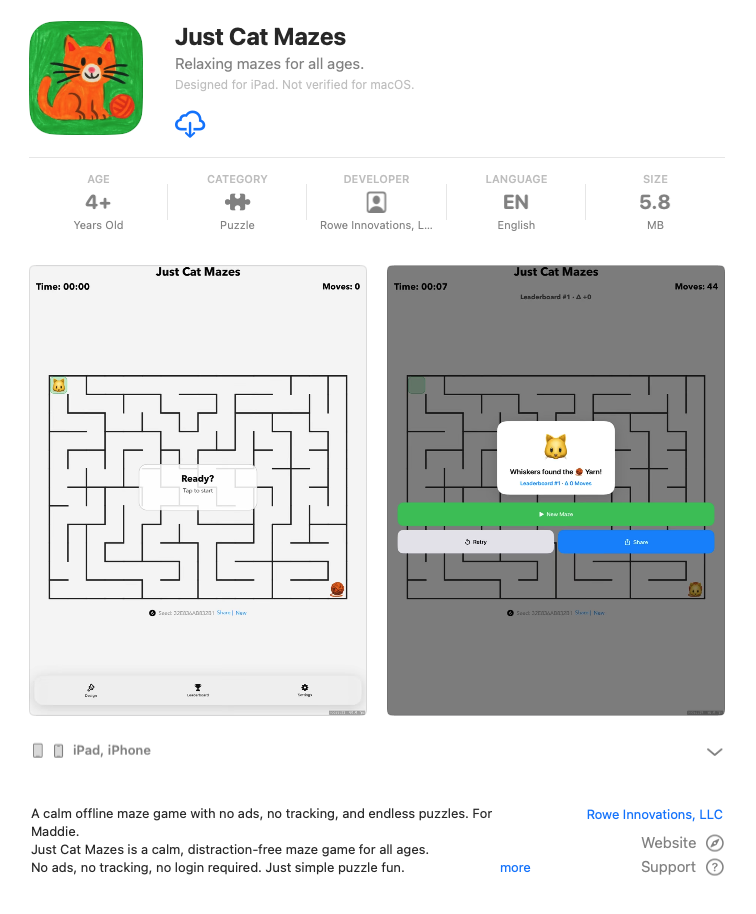
My kids know I build software, so they always ask, “Why can’t you build us an iPad game?!” In the past, researching Swift iOS development and maze-building algorithms and navigating App Store listings were obstacles. With AI, I was able to build Just Cat Mazes in a few weekends. Even the icon was drawn by my daughter and upscaled by AI.
Rowe Innovations, LLC, Hugo Theme
Another area where AI helps an engineer like me is in basic design principles. Most of my history with personal websites has been downloading a theme and making some light CSS tweaks to it. With AI, I’m able to theme a simple business-card site with Tailwind.1
I’m not replacing agency work; quotes I’ve solicited for this work came in at $3-5k. I’d never pay that for a static site; I would’ve used a free/paid template. AI is letting me reach further as a solo builder, just as WordPress and Bootstrap made building sites about the content, not the setup.
Faster Iterations, Same Total Effort
I’ve shipped nearly 10× what I could have before AI. But each project still took the same total effort to ship once I account for testing/debugging, integration, and organizational adoption. Writing code felt frictionless, but getting it ready to release took the same amount of calendar time as before AI.
AI didn’t tell me which 20 things to build. Finding the right place to apply your efforts and create leverage is still a human judgment.
Significant Revisions
- Jan 21st, 2026 Originally published on https://www.jsrowe.com with uid D8E91BD2-07E2-451B-8E09-939F822604E7
- Dec 16th, 2025 Initial rough draft created.
Footnotes
-
I wrote this before the news that LLMs are breaking Tailwind’s business model. I didn’t even know they had a paid product. I guess I was part of the problem. ↩