
2025 AI Wrapped: What Hasn’t Worked
Table of Contents
This is Part 4 of 5 of my 2025 AI Wrapped series. This post covers all the ways that AI fails me daily—and why despite the shortcomings I’m still all-in on AI.
For all of the successes I’ve experienced working with AI, there are countless daily failures that reassure me professional software engineers aren’t going anywhere soon. Not a day goes by when working with AI doesn’t nearly send me over the edge. Here is a collection of #fails from the trenches.

Cursor Deletes My Home Directory
First, I am a victim of force directory deletes. While working in a project, I instructed Cursor to “clean up the files in X directory.”
Cursor decided that “cleaning up” meant running rm -rf ~/. I watched in horror as my directories started disappearing one by one in Finder. Only by force rebooting my machine did I terminate this process and save my home directory.

But hey, at least it apologized…

I cannot stress enough: I had rm in my prohibited commands. Cursor ran it anyways. Now I am much more specific when I ask AI to “clean up files,” and I perform file deletes myself.1
Fighting for Cursor Control in IDE
When trying to use hotkeys or, especially, tabbing in my files, if I have too many agents enabled, pressing tab in Cursor can spool out a crap-ton of irrelevant code very quickly.
I call this “fighting for control” because it can feel like I’ve lost control of my IDE—especially if there is a CLI spooling in the background making changes to the file.
Now, before manually editing files, I make sure all agents are done running.
AI Still Writes Broken Code
AI still generates syntax errors at least 5 percent of the time. This isn’t just missing curly brackets; it could be import statements, module definitions, or runtime errors. At the start of 2025, I felt there was a fifty-fifty chance of AI generating “working” code. Now, I am about 95 percent confident I’ll get “working” code—but here are some examples of how AI still generates bad code daily.2
Package and Version Hallucinations
AI still hallucinates software packages and functions that just don’t exist. Sometimes it invents entirely fictional package names; other times it references real packages but hallucinates functions or version numbers—especially if a point version of a package is unpublished or a major update is released after AI training data window cutoffs.
Syntax Errors and Duplicate Functions
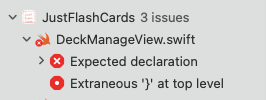
The most common syntax error was the missing curly bracket. But just like humans, this is often a symptom of sloppy function writing and almost never just a mismatched {}.

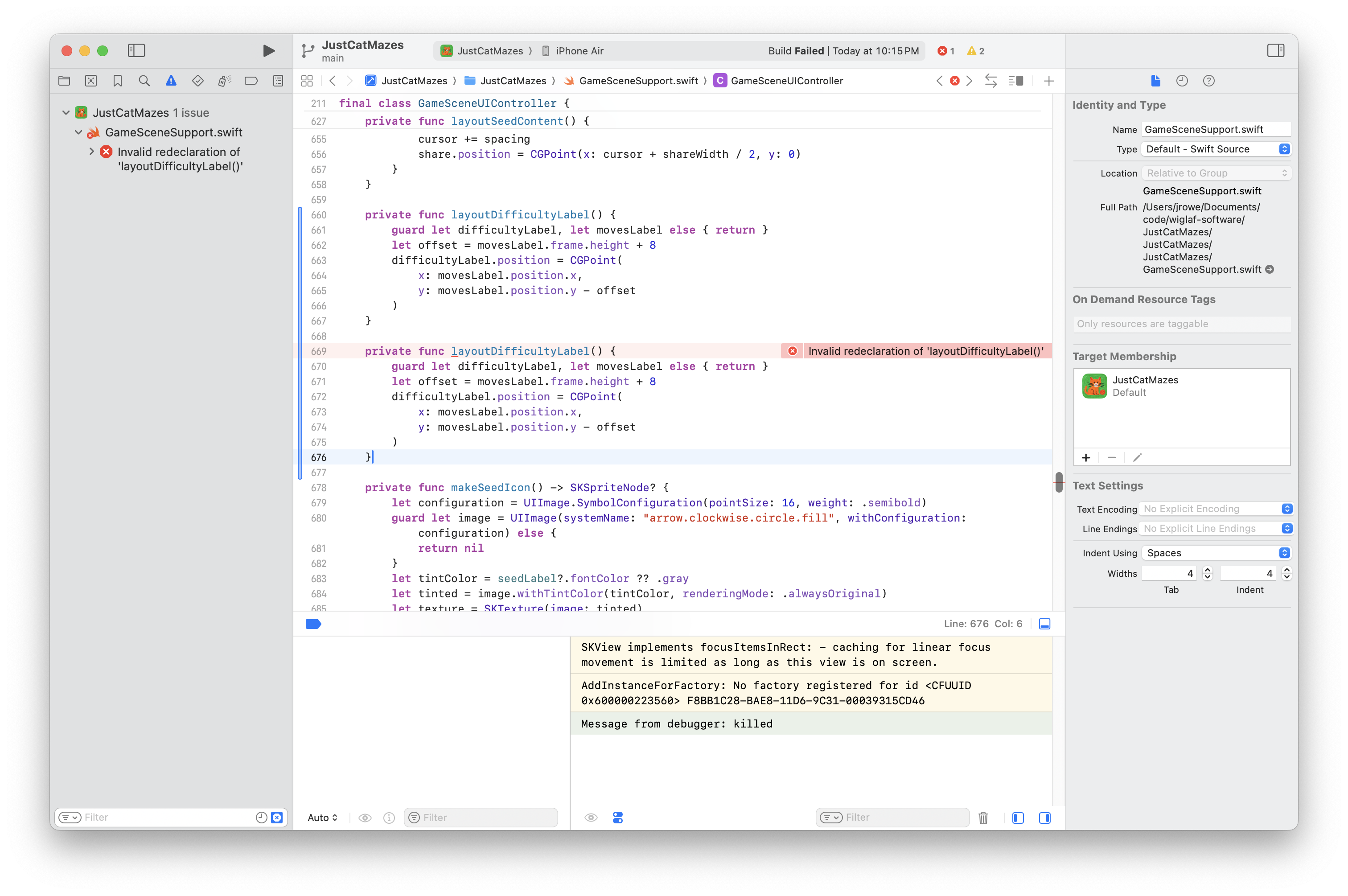
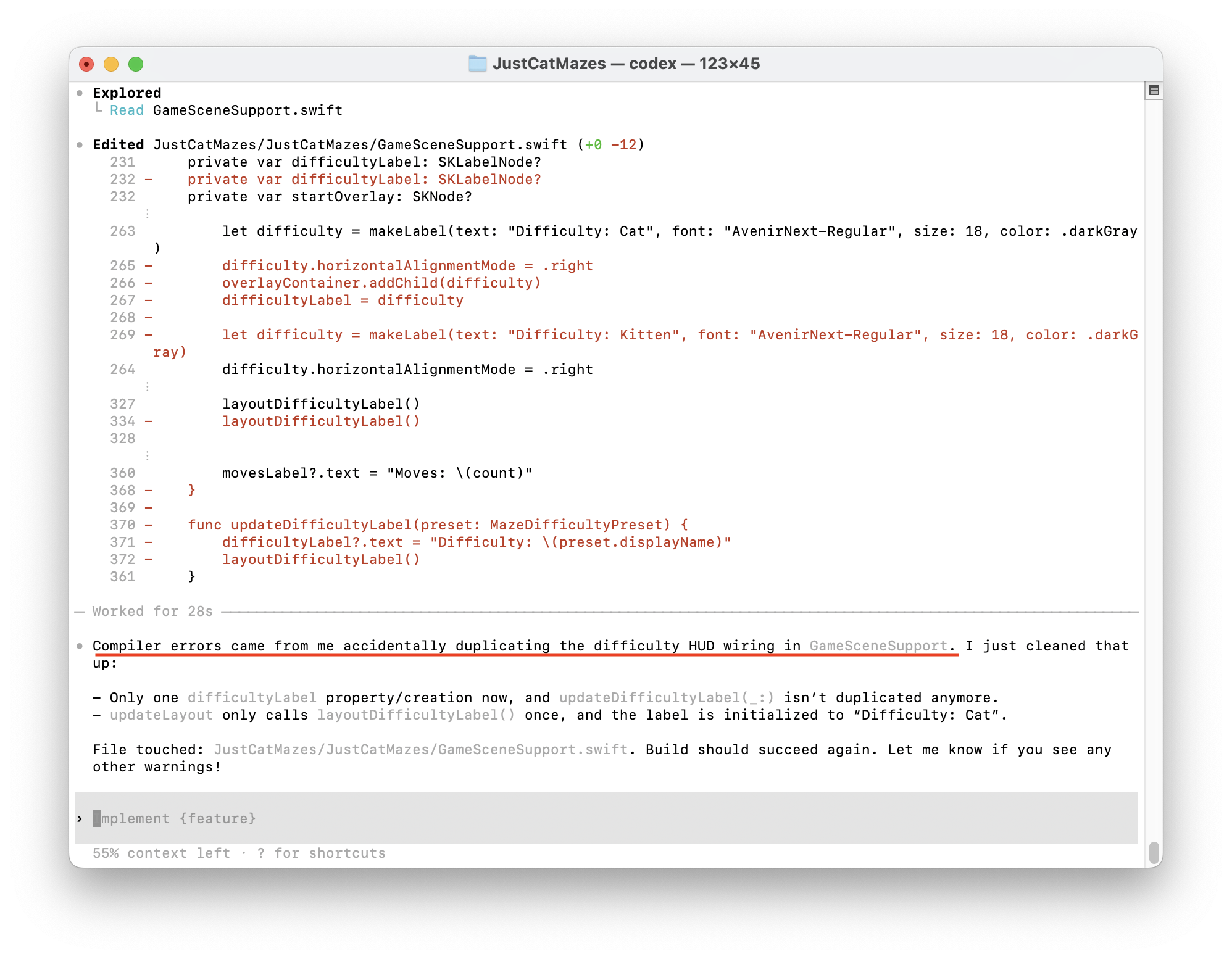
AI seems to have no qualms adding duplicate named functions. You can see in this example that a second layoutDifficultyLable() function has been added, resulting in a compiler error.
File Size and Directory Mismanagement
First, AI has no problem working with and writing out files of 1,000 lines or more. Files that are incomprehensible to a human. Second, even if directed to work in a specific directory, AI will sometimes create similar directories or a “second” file of the same content. I tell myself this is from years of training data including filenames like list.v2.bak.final.pdf.


I wish I had saved a screenshot of the directory issues, but the one I remember is a “Utilities” folder being created twice, one with an incorrect spelling.
The Myth of the Perfect Spec
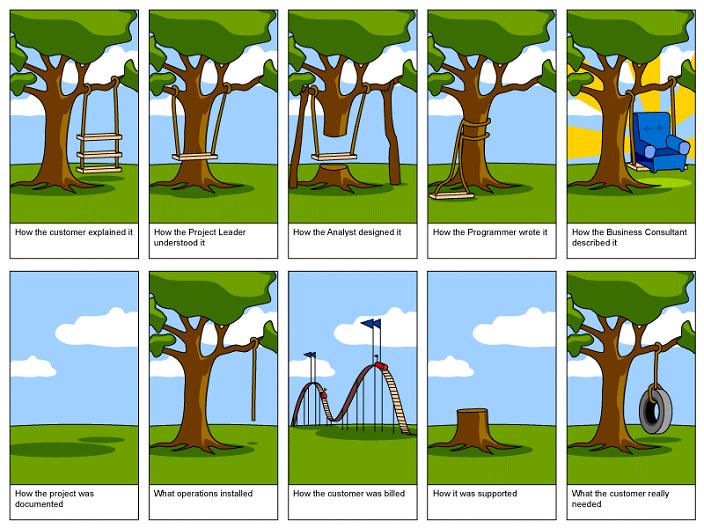
Software development is still iterative. One-shot solutions fly in the face of everything I understand about building software. I am not sold on “spec-driven” solutions, especially ones that rely on “perfect” requirements, as people are famously bad at articulating what they want.
I experimented briefly with blitzy.com, Lovable, Figma, and Claude Artifacts,3 and I concede they can be used for communicating vision through prototypes, but I was unable to deliver any solutions with them. All of my shipped solutions were built with Cursor, Claude Code, and Codex.
Cloud Agents Kill Momentum
Cloud agents promise to offload work, but they do poorly what you can already do locally—run concurrent AI sessions. Dispatched cloud-based “agents” suffer from the same limitations of trying to one-shot a solution. They provide no visibility into their execution, I can’t interrupt them if they’re off task, and worse, no matter what they generate, I still have to pull the code down locally and verify functionality.
Here are some of the ones I tried:
- Google Jules
- MSFT GitHub Copilot new repository setup
- Cursor Agents
- Sentry Seer
These AI agents require you to identify which repo to make the change in, which doesn’t scale for complex multi-repo projects. The GitHub “start your new repository with a Copilot prompt” is particularly egregious as it takes at least 10 or 15 minutes to complete and has never produced anything of value to me. Every time I’ve created a repo, I already had a working local solution I wanted to import.
Simple Prompts Don’t Solve Complex Problems
In complex systems, there are a multitude of ways that problems can manifest and a myriad of solutions to solve them. Vague prompting results in generic solutions such as increasing error handling without regard to the broader system context.
The lesson: AI is only as good as the context you give it. If you want sophisticated solutions, you need a solid understanding of system architecture and software engineering best practices.
Why I’m Still All-In on AI
Despite the deleted directories, hallucinated packages, and daily syntax/runtime errors, I’m still all-in on AI.
Why? Because the math works.
Yes, AI fails every day. Yes, I spend time fixing syntax and runtime errors, validating generated code, cleaning up bloated functions. Yes, every tool promising “autonomous solutions” has disappointed me.
But programming is fun again. I can scale up and ship meaningful changes quickly. I’m more productive with AI than without. AI lets me make leveraged bets with my time that otherwise wouldn’t make sense. Projects that were too tedious to start are now worth pursuing.
The key lesson I’ve learned throughout 2025 is that AI is like a power tool. Wielded responsibly, it’s a force multiplier of epic magnitude—for writing code. Just like power tools let carpenters focus on building houses instead of hand-ripping boards, AI lets engineers focus on building software instead of writing boilerplate.
The failures documented here aren’t bugs—they’re the cost of working with power tools.
Significant Revisions
- Jan 21st, 2026 Originally published on https://www.jsrowe.com with uid 6313209A-66CB-4710-A14B-96C3FEEA6D62
- Dec 16th, 2025 Initial rough draft created.
Footnotes
-
Cursor deleting my home directory occurred in October 2025. ↩
-
I tend to run build commands myself because feeding build outputs back to AI consumes my limited tokens and context windows. But, when I hit a build/runtime error, I’ll copy/paste it directly into the prompt with no other instructions, and AI tends to fix it within a minute or so. ↩
-
With regard to Claude Artifacts, I spent so much time waiting for Claude to regenerate the entire solution that it became unusable for any kind of iteration. ↩