
2025 AI Wrapped: My Setup for Programming
Table of Contents
This is Part 2 of 5 of my 2025 AI Wrapped series. This post covers my actual development environment setup—the specific tools and workflows I use daily to ship production software with nearly 100% AI-generated code.
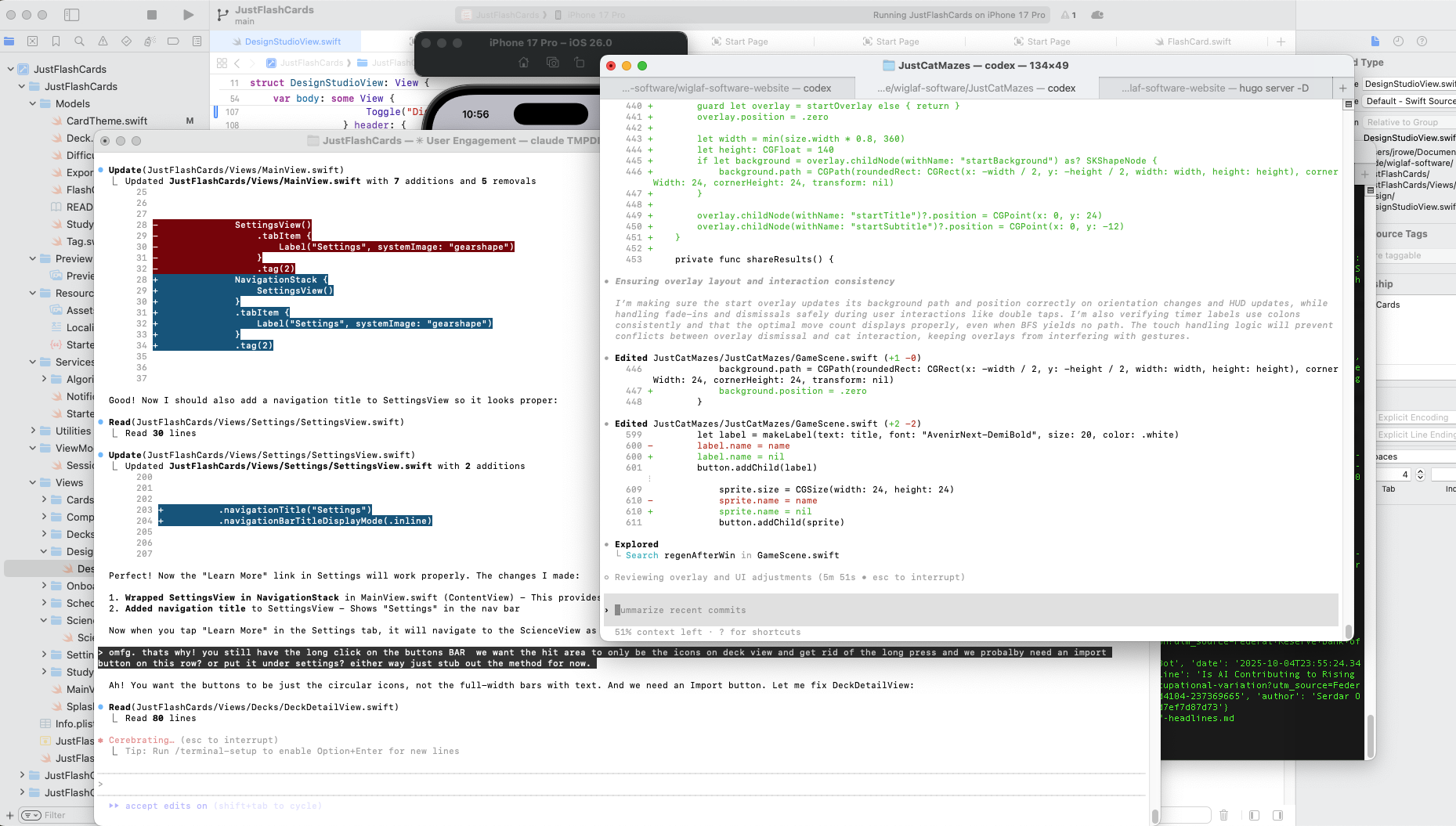
When I “sit down to get work done,” I open Cursor1 and two or three CLI sessions (Claude Code and Codex) for concurrent prompting, and the app locally. The rule of 7±2 applies here. Any more than this melts my brain; there’s a cognitive limit to how many threads I can keep straight in my mind.
Claude Code Sonnet 4.5 and OpenAI Codex 5.1 are the first AI programming tools that have made me think, “Even if this is as good as it gets, it’s good enough.”2
After 3-4 hours of intense vibe-engineering, I’ll trigger the dreaded warnings: Heads up, you’ve used over 90% of your 5hr limit followed almost immediately with Credit Balance too low—Add Funds.3
With this multiple-agent setup, I can have one agent focused on adding an endpoint while another builds the corresponding front end change and a third updates documentation—all while I chat with Claude/GPT about next steps in another tab. Multitasking multiple facets of the same work with AI does not seem to trigger the same “cognitive reset” as context-switching to another body of work.
When I was a frontline software engineer, I never wanted to leave my IntelliJ IDE. In my mind, code was the law; leaving the IDE broke my flow state. Now, I only review files in the IDE when I need to look at a specific file or configure something for the project.
Planning Before Generating Code
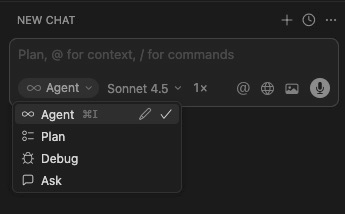
Prior planning prevents piss-poor performance. This can be accomplished with the explicit Plan mode in Cursor or I’ll include in my prompt NO CODE, Brainstorm only to get started. Only after I’ve explored the problem via back-and-forth conversations with AI and asked it to explain to me what it is going to implement will I then prompt it to start generating code.
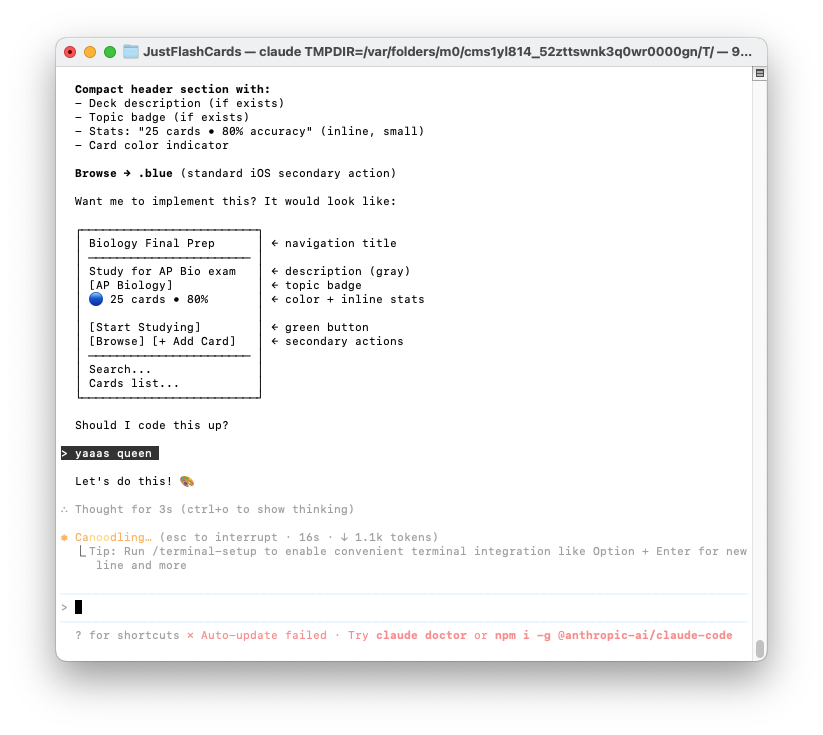
Another way I use AI to plan before programming is to prompt AI to generate wireframes before implementing them. Even with wireframes, AI isn’t perfect, but I’ve found that when employing these planning techniques, AI seems to get more things right.
If there’s one universal complaint I have during planning: AI can’t shut up. I don’t have empirical evidence on this, but I feel like no matter which model I use or how much I prompt it to “be concise,” I’m constantly skimming and scrolling hundreds of lines of response output.4
Choosing a Model
As a paying subscriber, I adopt the latest model as soon as it’s available to me. I have yet to experience wanting to use an older model. With Cursor, I can experiment by explicitly choosing specific models in the Agent chooser, but I dislike “auto” mode because it doesn’t reveal which model is being used to generate output. This makes it impossible to “learn” which model performs the best on specific tasks.
Because my basic plans have weekly/hourly limits, I start with whichever model I have the most credits with. The past three months, I’ve almost exclusively defaulted to Opus 4.5; it seems to perform best on complex feature development and documentation. I find myself choosing Codex for deep refactoring and code cleanup tasks.
One benefit to running multiple models—in addition to managing costs—is that all models get stuck in ruts, unable to “code” their way out of recursive errors or messing up implementation details. Switching to another model will fix what the other cannot.
What I’m Still Assessing
I had experimented and found AGENTS.md/CLAUDE.md files to be underwhelming.5 I have written slash commands, but I’ve found adding ~/code/prompts/**.md in my path works best to share prompts across vendors.
When MCP first dropped, I thought it would revolutionize how I work, but so far I’ve found it far more effective to bring the relevant context into the CLI/Cursor world view. My tools must be setting up MCP servers in the background; how else is Slack or Confluence aware of my Google Drive documents? But I have not found a compelling reason to integrate MCP into Cursor/CLI for the work I’ve done.
I’m not using git-trees or any kind of file collision detection. The agents seem to detect when a file under it has changed and will report “re-reading” a file. I try to logically structure my work across different files, but I’ve yet to get any kind of corrupted file outcomes even when two processes update the same file. In the small chance I don’t like what was generated, I’m one git revert from having only wasted a few minutes.
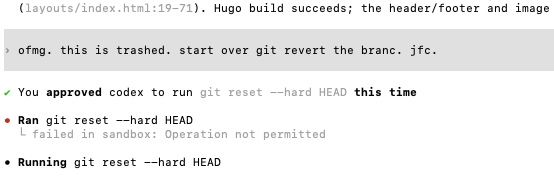
KISS principle applies: So far, a vanilla setup is getting the work done. I’ll reassess specialized tooling as it matures in 2026.
One Thing Worth Trying
If there’s one thing worth learning in 2026, it’s how to orchestrate multiple AI agents to push forward multiple vectors on any given problem. AI is perfectly happy to concurrently build React components and Ruby functions and Python libraries in the background.6
Before AI, the idea of having 2-3 engineers working at one keyboard sounds ridiculous. But that’s essentially what concurrent AI sessions do—multiple sessions writing to many files while you’re free to move to the next problem. AI is a force multiplier because you are no longer bound to one input cursor in one application.
Significant Revisions
- Jan 21st, 2026 Originally published on https://www.jsrowe.com with uid 1E26406A-86E8-47D4-AA19-29F6C31592DD
- Dec 16th, 2025 Initial rough draft created.
Footnotes
-
Cursor’s ability to work with screenshots is a KILLER feature. ↩
-
In the time it has taken me to write this, Opus 4.5 and Codex 5.2 have come out. ↩
-
All personal examples using Anthropic Claude and OpenAI GPT with $20/month plans. ↩
-
Sometimes I use the CLI to brainstorm not only because it has access to the code but because CLI responses tend to be under 200 words no matter what. ↩
-
It seems Thoughtworks has made the same assessment about AGENTS.md. ↩
-
Most everything I’ve written with AI is in TypeScript (React/GitHub Actions), Python, Ruby, and shell scripts. ↩